Want to calculate Azure costs accurately and avoid billing surprises? You’re not alone. With Microsoft Azure’s vast array of services, understanding your cloud expenses can feel overwhelming—until now.




Calculate Azure Costs: Why It’s Essential for Every Business

Understanding how to calculate Azure costs is no longer optional—it’s a business imperative. As organizations increasingly migrate workloads to the cloud, uncontrolled spending can quickly erode ROI and strain IT budgets. According to a 2023 Flexera State of the Cloud Report, 32% of cloud spend is wasted due to poor visibility and mismanagement. That’s where accurate cost calculation comes in.
By proactively calculating Azure costs, businesses gain financial transparency, optimize resource allocation, and align cloud usage with strategic goals. Whether you’re a startup testing the waters or an enterprise running complex hybrid environments, knowing your spending patterns empowers smarter decisions.
Financial Accountability and Budget Control
One of the primary reasons to calculate Azure costs is to maintain financial accountability. Without clear insights into usage and spending, departments may over-provision resources or leave idle instances running. This lack of oversight leads to budget overruns and inefficient capital allocation.
By implementing cost-tracking mechanisms early, finance and IT teams can collaborate on realistic forecasting, set spending thresholds, and enforce accountability across teams. Tools like Azure Cost Management + Billing allow organizations to assign budgets at the subscription, resource group, or even tag level—ensuring every dollar spent is tracked and justified.
- Assign cost centers to departments using tags
- Set up alerts before exceeding budget thresholds
- Generate monthly reports for executive review
Supporting Cloud Governance and Compliance
Regulatory compliance often requires detailed records of IT expenditures. Industries such as healthcare, finance, and government must demonstrate not only data security but also fiscal responsibility in cloud operations.
When you calculate Azure costs effectively, you create an audit trail that supports compliance initiatives. For example, tagging resources by project, environment (dev/test/prod), or department enables granular reporting that meets internal governance standards and external regulatory requirements.
“Visibility into cloud costs isn’t just about saving money—it’s about building trust across stakeholders.” — Microsoft Azure Advisory Team
How to Calculate Azure Costs: Core Components and Pricing Models
To accurately calculate Azure costs, you must first understand the foundational elements of Azure’s pricing structure. Unlike traditional on-premises infrastructure, Azure operates on a consumption-based model, meaning you pay only for what you use. However, this flexibility introduces complexity, especially when multiple services, regions, and usage tiers are involved.
The key to mastering cost calculation lies in breaking down Azure’s pricing into manageable components: compute, storage, networking, and additional services. Each has its own pricing model, which can vary based on factors like region, commitment level, and usage duration.
Compute Costs: VMs, Containers, and Serverless
Compute is often the largest contributor to Azure bills. Virtual Machines (VMs) are priced based on size (CPU, memory), operating system, and whether they run continuously or intermittently. For example, a D4s v3 Linux VM in East US costs approximately $0.192/hour when billed on-demand.
Alternatives like Azure Kubernetes Service (AKS) and Azure Functions (serverless) offer different cost dynamics. AKS itself is free, but you pay for the underlying VMs, storage, and networking. Serverless functions charge per execution and execution time, making them cost-effective for sporadic workloads.
To calculate Azure costs for compute, consider:
- VM size and series (e.g., B-series for burstable, D-series for general purpose)
- Operating system (Windows licenses add cost)
- Uptime (24/7 vs. scheduled shutdowns)
- Reserved Instances (up to 72% savings over pay-as-you-go)
Use the Azure Pricing Calculator to model different scenarios before deployment.
Storage Costs: Blob, Disk, and Data Transfer
Storage pricing depends on redundancy, access tier, and data transfer volume. Azure Blob Storage offers tiers like Hot, Cool, and Archive, each with different retrieval costs and latency.
For example, storing 1 TB of data in the Hot tier costs about $23.50/month in East US, while the Archive tier drops to $1.16/month—but with higher retrieval fees and longer access times. Similarly, managed disks (SSD/Premium vs. HDD/Standard) impact both performance and cost.
calculate azure costs – Calculate azure costs menjadi aspek penting yang dibahas di sini.
Data egress (outbound data transfer) is another hidden cost. The first 5 GB/month is free, but beyond that, rates apply—especially for cross-region or global transfers. Inbound data is always free.
Pro Tip: Use lifecycle policies to automatically move infrequently accessed data to cooler tiers and reduce storage costs by up to 60%.
Top Tools to Calculate Azure Costs Accurately
Manually calculating Azure costs across hundreds of resources is impractical. Fortunately, Microsoft and third-party vendors offer powerful tools designed to simplify cost estimation, monitoring, and optimization.
These tools range from pre-deployment calculators to real-time cost dashboards, giving teams full visibility into spending patterns and forecasting capabilities.
Azure Pricing Calculator
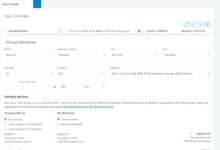
The Azure Pricing Calculator is the go-to tool for estimating costs before deploying resources. It allows users to build a virtual environment by selecting services, configuring specs, and applying regional pricing.
You can simulate everything from a simple web app to a multi-region disaster recovery setup. The calculator provides a detailed breakdown by service and even exports estimates to CSV for sharing with stakeholders.
Key features:
- Real-time pricing based on region and service tier
- Support for Reserved VM Instances and savings plans
- Integration with Azure subscriptions for direct provisioning
While powerful, the calculator relies on assumptions. Always validate estimates against actual usage once workloads are live.
Azure Cost Management + Billing
Once resources are deployed, Azure Cost Management + Billing becomes your primary tool to calculate Azure costs in real time. It integrates natively with Azure subscriptions and provides dashboards for cost analysis, budgeting, and forecasting.
You can drill down into spending by resource group, tag, service, or department. Custom reports help identify cost anomalies, such as a sudden spike in data transfer or an untagged VM running 24/7.
Features include:
- Daily cost updates with up to 48-hour latency
- Forecasting based on historical trends
- Alerts when spending exceeds thresholds
- Exportable reports for finance teams
This tool is essential for ongoing cost governance and should be configured immediately after subscription creation.
Advanced Techniques to Calculate Azure Costs with Precision
Basic cost tracking gets you started, but advanced techniques are needed to achieve true financial control. These methods go beyond surface-level reporting and dive into tagging strategies, showback/chargeback models, and predictive analytics.
Organizations that master these techniques often reduce cloud waste by 30–50% within the first year.
Implementing Resource Tagging for Granular Cost Allocation
Tags are key-value pairs attached to Azure resources (e.g., Department: Marketing, Environment: Dev). When used consistently, they enable precise cost allocation across teams, projects, and cost centers.
For example, if the marketing team runs a campaign using Azure App Services and databases, tagging all related resources allows finance to pull a report showing exactly how much that campaign cost in cloud resources.
calculate azure costs – Calculate azure costs menjadi aspek penting yang dibahas di sini.
Best practices for tagging:
- Define a standard tagging policy across the organization
- Enforce tagging via Azure Policy to prevent untagged deployments
- Use automation (e.g., Azure CLI, PowerShell, Terraform) to apply tags at deployment time
Without proper tagging, cost data remains siloed and unusable for chargeback or showback models.
Using Showback and Chargeback Models
Once costs are tagged and tracked, organizations can implement showback or chargeback models to promote accountability.
Showback provides departments with visibility into their cloud usage and costs without actual financial transfer. It’s ideal for fostering cost-aware culture without complicating accounting.
Chargeback, on the other hand, bills departments directly for their cloud usage, treating IT as an internal service provider. This model drives more responsible behavior but requires robust tracking and approval workflows.
To calculate Azure costs for showback/chargeback:
- Aggregate costs by tag (e.g., Project, Team, Application)
- Apply markup for shared services (e.g., networking, security)
- Generate monthly invoices or reports for internal stakeholders
“Teams that see their cloud costs are 40% more likely to optimize usage.” — Gartner, 2022
Common Pitfalls When You Calculate Azure Costs
Even experienced cloud teams make mistakes when trying to calculate Azure costs. These errors lead to inaccurate forecasts, budget overruns, and frustration among stakeholders.
Recognizing and avoiding these pitfalls is crucial for maintaining financial control in the cloud.
Ignoring Idle or Orphaned Resources
One of the most common cost leaks is idle or orphaned resources. A developer might spin up a VM for testing and forget to delete it. Over time, these forgotten instances accumulate, silently draining the budget.
For example, a single D4s v3 VM running 24/7 for a year costs ~$1,680. Multiply that by 10 forgotten VMs, and you’ve lost nearly $17,000.
Solutions:
- Use Azure Advisor to identify underutilized resources
- Set auto-shutdown schedules for dev/test environments
- Run weekly cleanup scripts to remove untagged or stale resources
Overlooking Data Egress and API Call Charges
Many teams focus on compute and storage but forget about data egress and transaction costs. While inbound data is free, outbound data (especially to the internet or other regions) incurs charges.
For instance, transferring 10 TB of data from East US to Asia Pacific could cost over $1,000. Similarly, high-volume API calls to Azure Blob Storage or Cosmos DB add up quickly—$0.005 per 10,000 transactions may seem small, but at scale, it matters.
Always factor in:
- Cross-region replication costs
- CDN vs. direct egress pricing
- Number of read/write operations for databases and storage
Use Azure Monitor and Cost Analysis to track these hidden expenses.
calculate azure costs – Calculate azure costs menjadi aspek penting yang dibahas di sini.
Strategies to Optimize and Reduce Azure Costs
Calculating Azure costs is just the first step. The real value comes from using that data to optimize spending and improve efficiency.
Microsoft estimates that organizations can save 20–40% on Azure bills through proper optimization strategies.
Leverage Reserved Instances and Savings Plans
If you have predictable workloads (e.g., production databases, core applications), Reserved Virtual Machine Instances offer significant savings—up to 72% compared to pay-as-you-go pricing.
You commit to 1-year or 3-year terms, and in return, get a discounted hourly rate. These reservations are flexible—you can exchange or cancel them if needs change.
Azure Savings Plans offer even broader flexibility, applying discounts across compute usage (VMs, AKS, Functions) in a specific region, rather than being tied to a VM size.
To decide between options:
- Use Reserved Instances for stable, long-term workloads
- Use Savings Plans for variable workloads with consistent regional usage
- Use the Azure Advisor recommendation engine to identify eligible resources
Right-Size Your Resources
Over-provisioning is a major cost driver. Many VMs run on larger sizes than needed, leading to wasted CPU and memory capacity.
Azure Advisor analyzes performance metrics and recommends downsizing underutilized VMs. For example, if a D8s v3 VM uses only 10% CPU on average, you might safely move to a D4s v3 and cut costs in half.
Steps to right-size:
- Enable Azure Monitor for performance tracking
- Review Advisor recommendations weekly
- Test smaller VM sizes in non-production environments first
“Right-sizing is the fastest way to reduce cloud costs without impacting performance.” — Microsoft Azure Optimization Guide
Future-Proofing Your Azure Cost Strategy
The cloud landscape is evolving rapidly, and so are cost management practices. To stay ahead, organizations must adopt a proactive, data-driven approach to calculate Azure costs—not just reactively, but as part of a continuous optimization cycle.
Emerging trends like AI-powered cost forecasting, FinOps adoption, and automated governance are reshaping how businesses manage cloud finances.
Adopting FinOps Principles
FinOps (Financial Operations) is a cultural and operational framework that brings financial accountability to cloud spending. It bridges the gap between finance, engineering, and business teams.
The FinOps Foundation outlines three phases:
- Inform: Gain visibility into costs (using tools like Azure Cost Management)
- Optimize: Identify savings opportunities (reservations, right-sizing)
- Operationalize: Embed cost awareness into daily workflows
By adopting FinOps, organizations move from reactive cost control to proactive financial agility.
Using AI and Machine Learning for Predictive Cost Analysis
Microsoft is integrating AI into Azure Cost Management to provide smarter forecasting and anomaly detection.
calculate azure costs – Calculate azure costs menjadi aspek penting yang dibahas di sini.
For example, the platform can predict next month’s bill based on historical trends and alert you if a new deployment causes an unexpected spike. It can also recommend optimal reservation purchases based on usage patterns.
Third-party tools like Cloudability and Apptio leverage machine learning to detect cost anomalies and simulate “what-if” scenarios, helping teams make better-informed decisions.
Future capabilities may include:
- Automated cost optimization actions (e.g., shutdown idle resources)
- Integration with ERP systems for unified financial reporting
- Real-time cost impact analysis during CI/CD deployments
Staying updated with these advancements ensures your cost strategy remains effective as your cloud footprint grows.
How do I calculate my Azure costs accurately?
To calculate Azure costs accurately, use the Azure Pricing Calculator for estimates and Azure Cost Management + Billing for real-time tracking. Implement consistent tagging, monitor usage patterns, and leverage tools like Azure Advisor for optimization recommendations.
What are the hidden costs in Azure I should watch for?
Hidden costs include data egress (outbound data transfer), API transaction fees, cross-region replication, and idle or untagged resources. Always review detailed cost breakdowns in Azure Cost Management to catch these expenses.
Can I get a discount on Azure services?
Yes. You can save up to 72% by purchasing Reserved Virtual Machine Instances or Azure Savings Plans. Additionally, nonprofits, startups, and students may qualify for credits and special pricing through Microsoft programs.
What is the best tool to calculate Azure costs?
The best tool to calculate Azure costs is the Azure Pricing Calculator for pre-deployment estimates and Azure Cost Management + Billing for ongoing monitoring and analysis.
How can I reduce my Azure bill?
You can reduce your Azure bill by right-sizing underutilized resources, using reserved instances, deleting idle resources, leveraging auto-shutdown for dev environments, and implementing tagging and showback models to drive accountability.
Calculating Azure costs is not a one-time task—it’s an ongoing discipline that requires the right tools, processes, and cultural mindset. From using the Azure Pricing Calculator to adopting FinOps practices, every step you take toward cost visibility brings you closer to maximizing your cloud investment. By combining accurate forecasting, real-time monitoring, and proactive optimization, you can transform cloud spending from a cost center into a strategic advantage. Start today: audit your current usage, set up cost alerts, and build a tagging strategy that scales with your organization.
calculate azure costs – Calculate azure costs menjadi aspek penting yang dibahas di sini.
Recommended for you 👇
Further Reading: